Gather your material.
Add notes, links, images, PDFs, or spreadsheets. Put related pieces together on the board.
Closed beta
Bring your notes, files, and ideas together. Ask questions across them, then turn what you learn into something you can keep working on.
Bring your contextNotes, files, links, and images
Make something usefulDocuments, diagrams, prototypes, and dashboards
Make sense of research, test an idea, or work out the details of something you’re doing next.
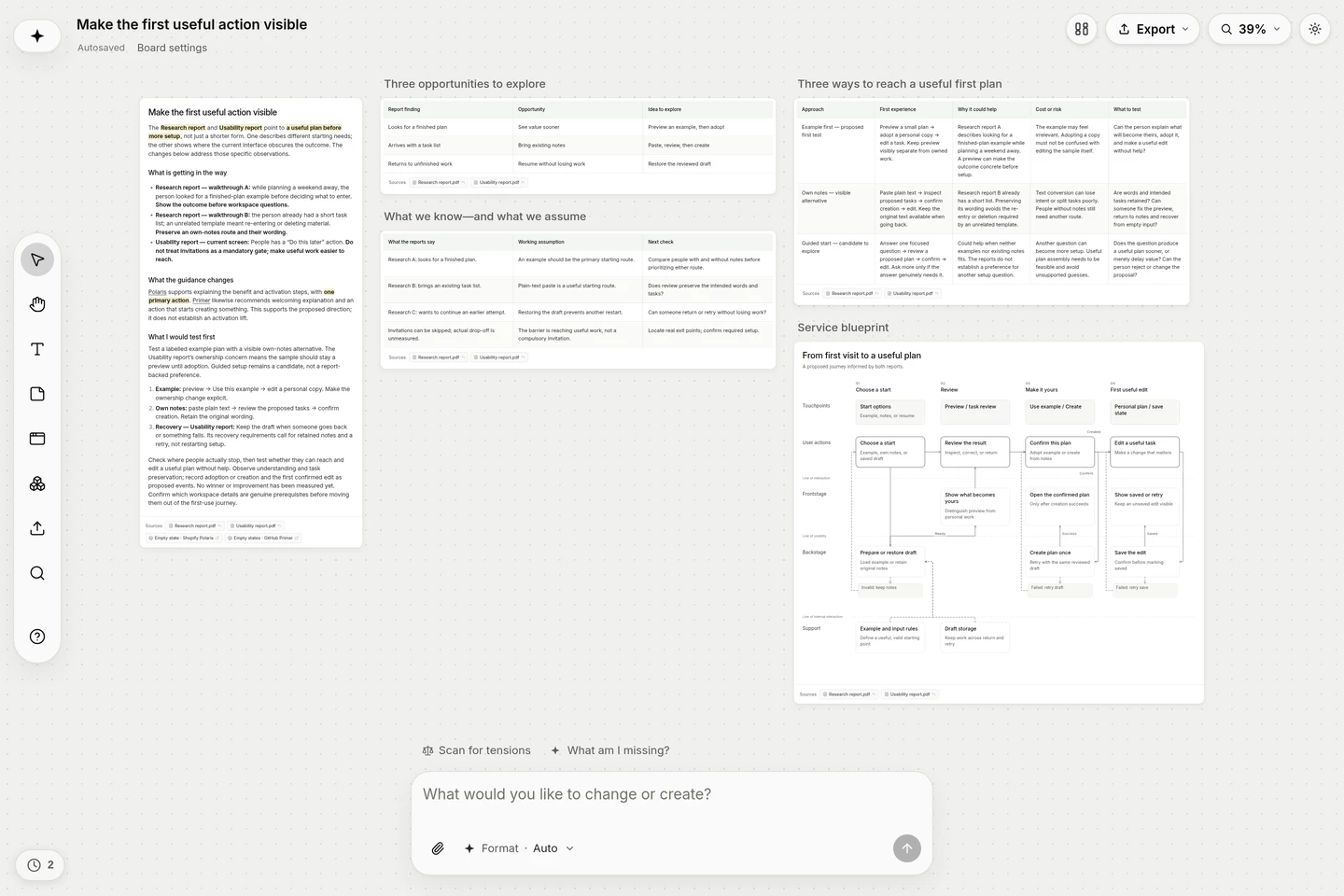
Collect reports, notes, and links. Compare findings and keep the evidence beside a brief you can edit.
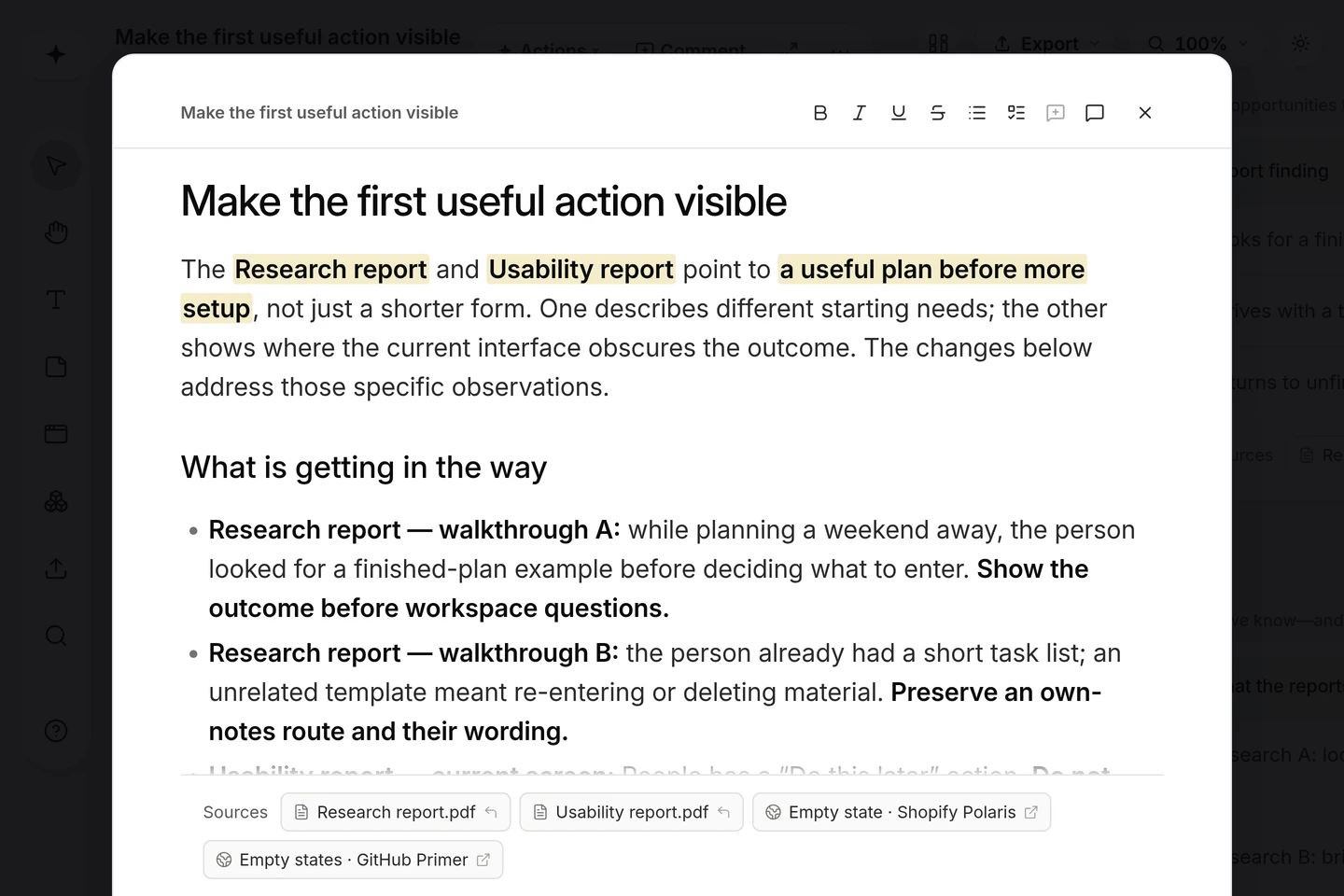
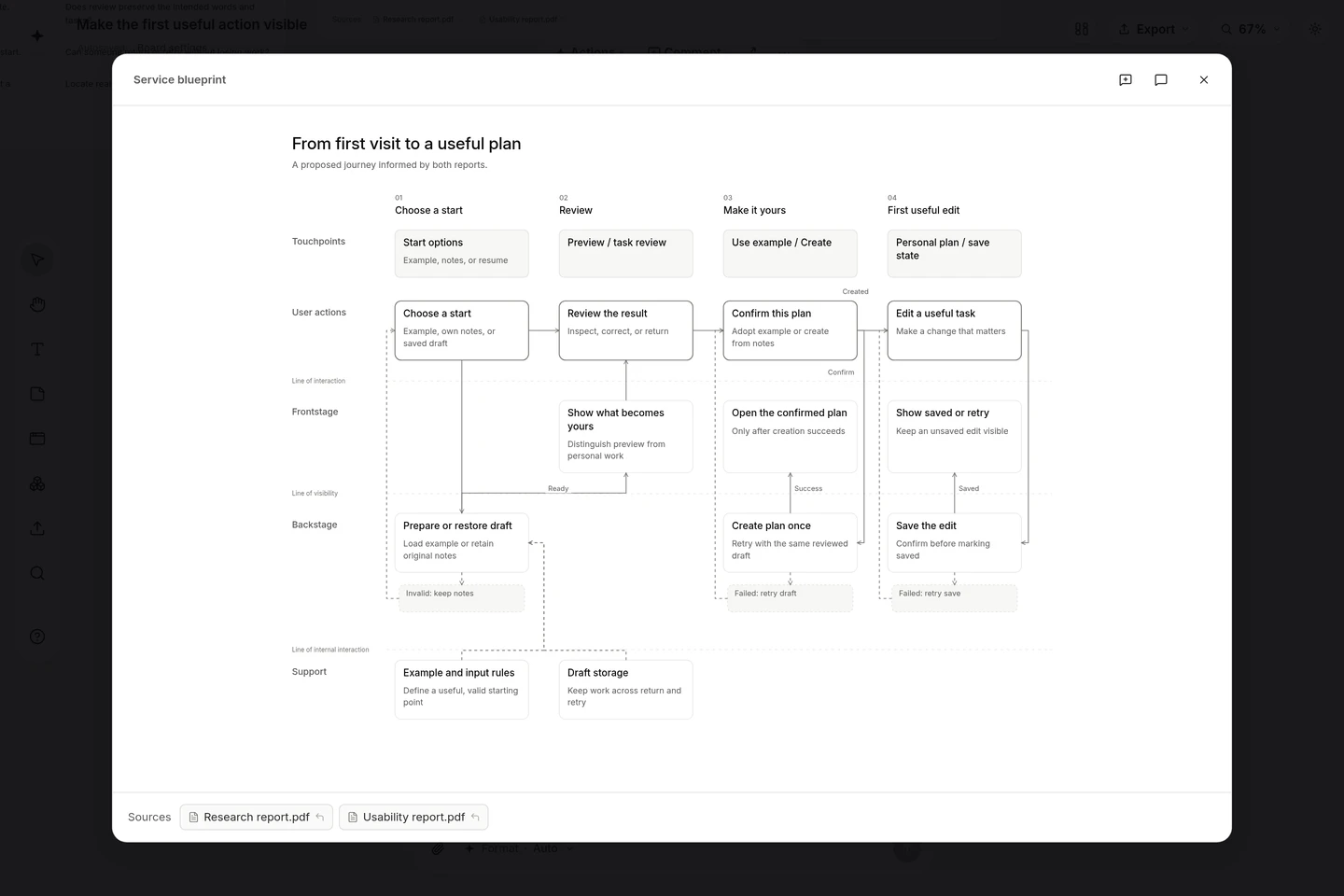
Bring a journey map and a current screen together. Ask Jarwiz to turn the proposed change into a prototype you can try.
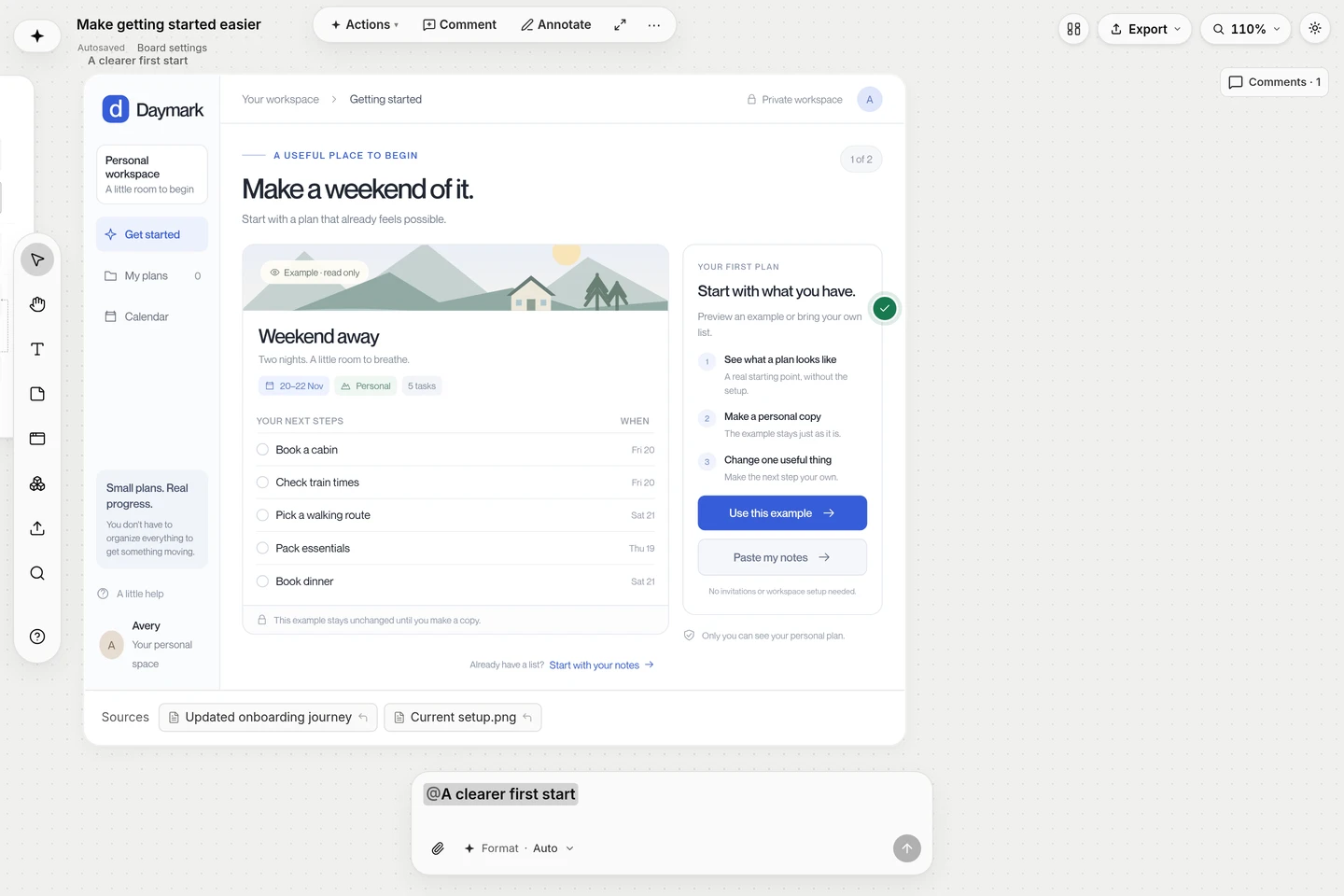
Bring the account data and business context into view. Build a dashboard, inspect the details, and decide what needs attention next.
An itinerary, a weather forecast, a few preferences. Ask what to pack and get individual options that fit the trip.
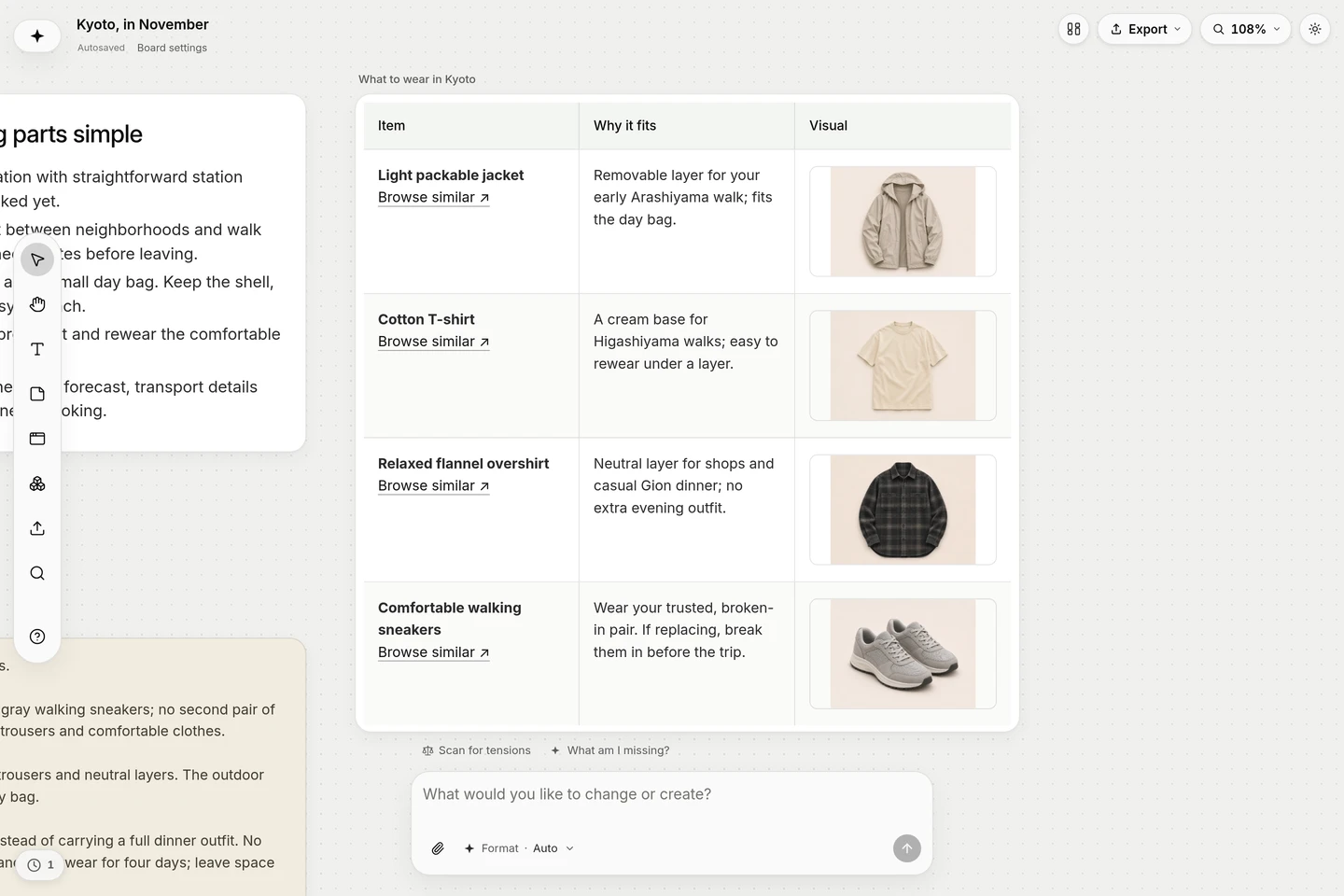
Product films use prepared responses and illustrative projects. Connected-source experiences are being prepared for the closed beta.
Bring the material. Ask the question. Keep the answer and the thinking behind it in the same place.
Add notes, links, images, PDFs, or spreadsheets. Put related pieces together on the board.
Select the material you want to work with. Ask Jarwiz to compare, explain, explore, or create.
Edit the output, add another source, or ask a follow-up. Your project stays in view.
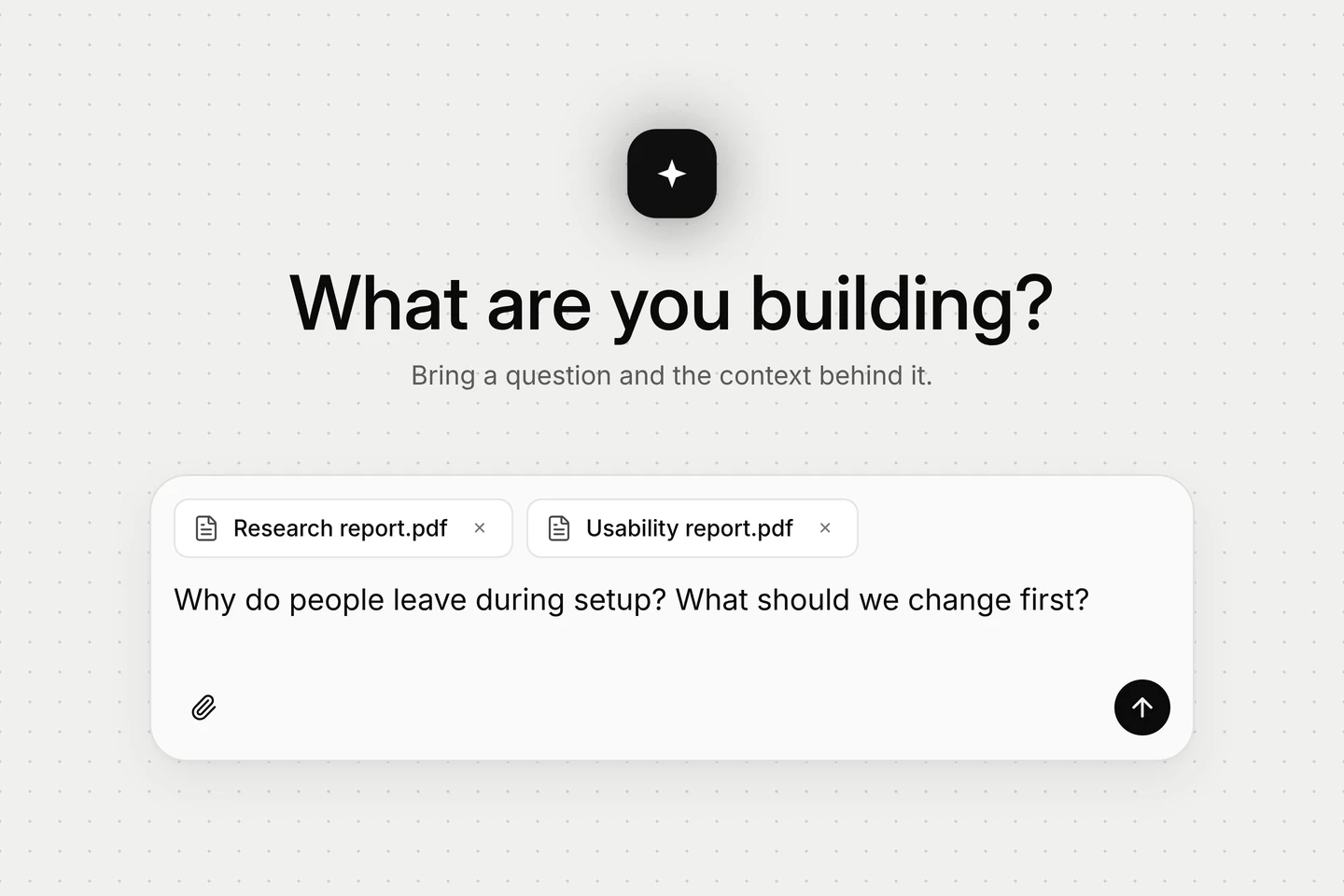
A question can become a brief, a comparison, a diagram, or something you can interact with. Pick the form that moves the work forward.
Turn reading and notes into a brief you can edit.
Make the steps, decisions, and dependencies visible.
Explore an interface before committing to the build.
Put the figures and the next action in the same view.
Comment on the part you want to change. Talk through the suggestion with Jarwiz, then apply the revision when it feels right.
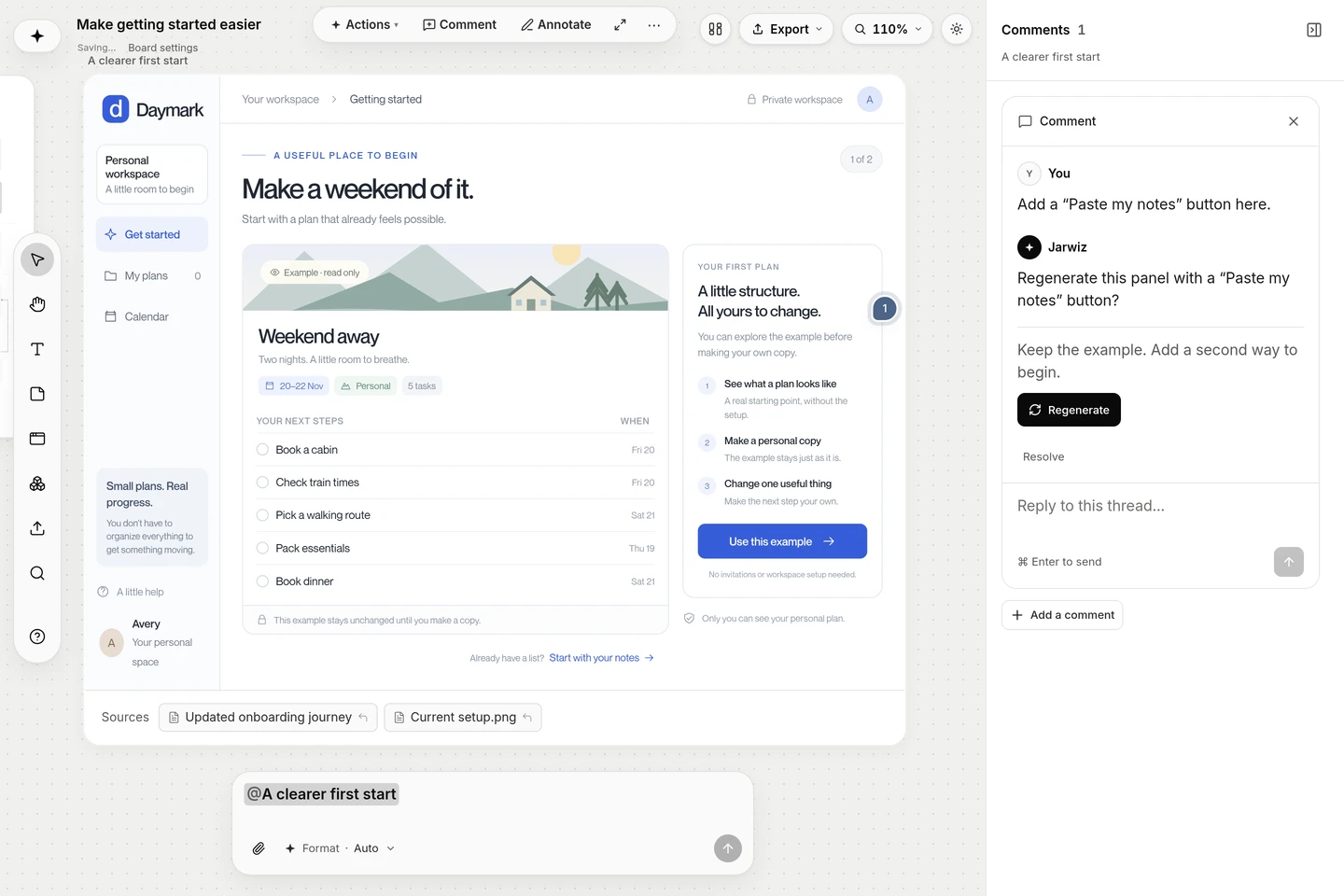
As the project changes, Jarwiz can spot where a draft needs another look. The suggestion appears beside the work, ready for you to discuss and review.
New session data points to a problem with a required onboarding step.
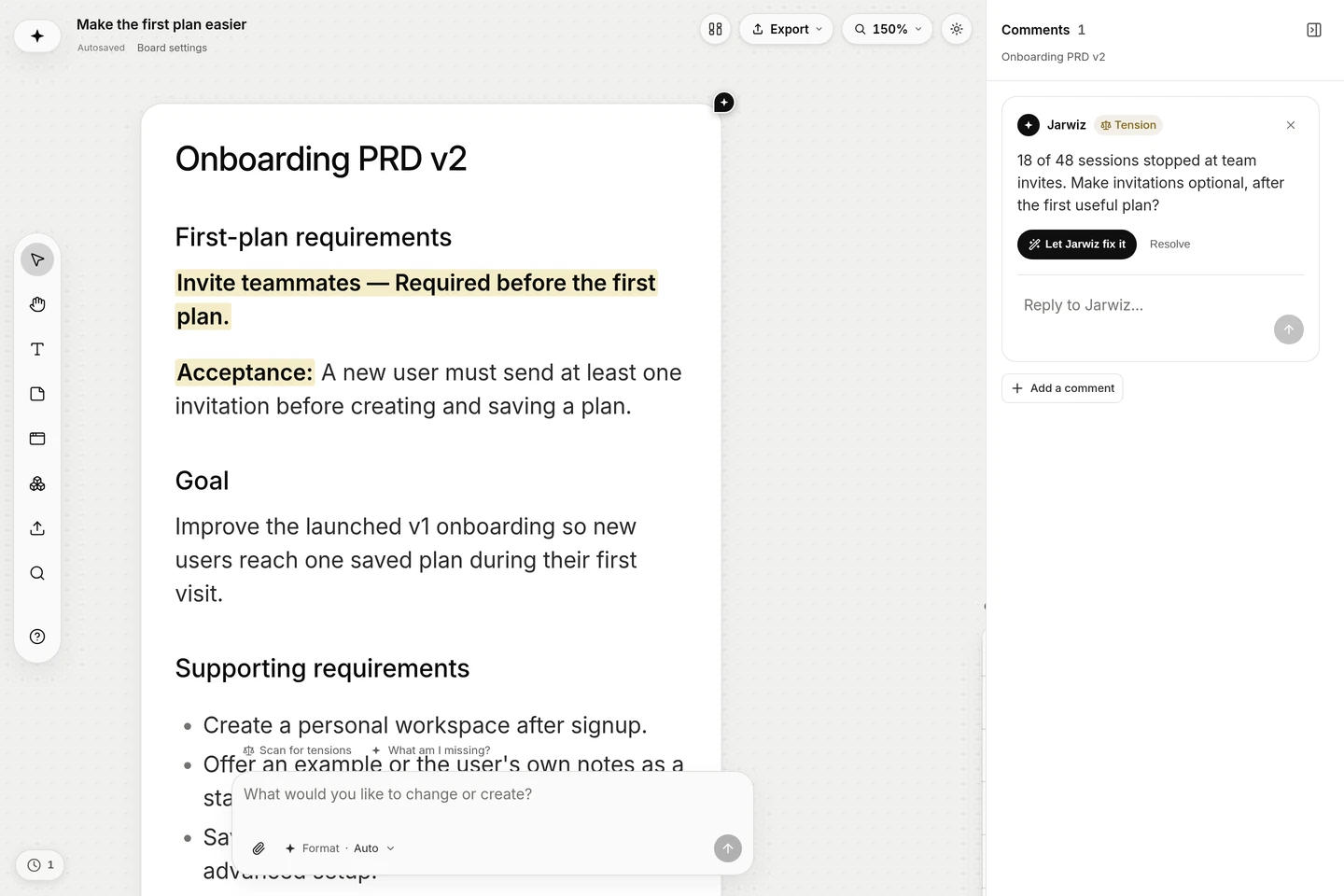
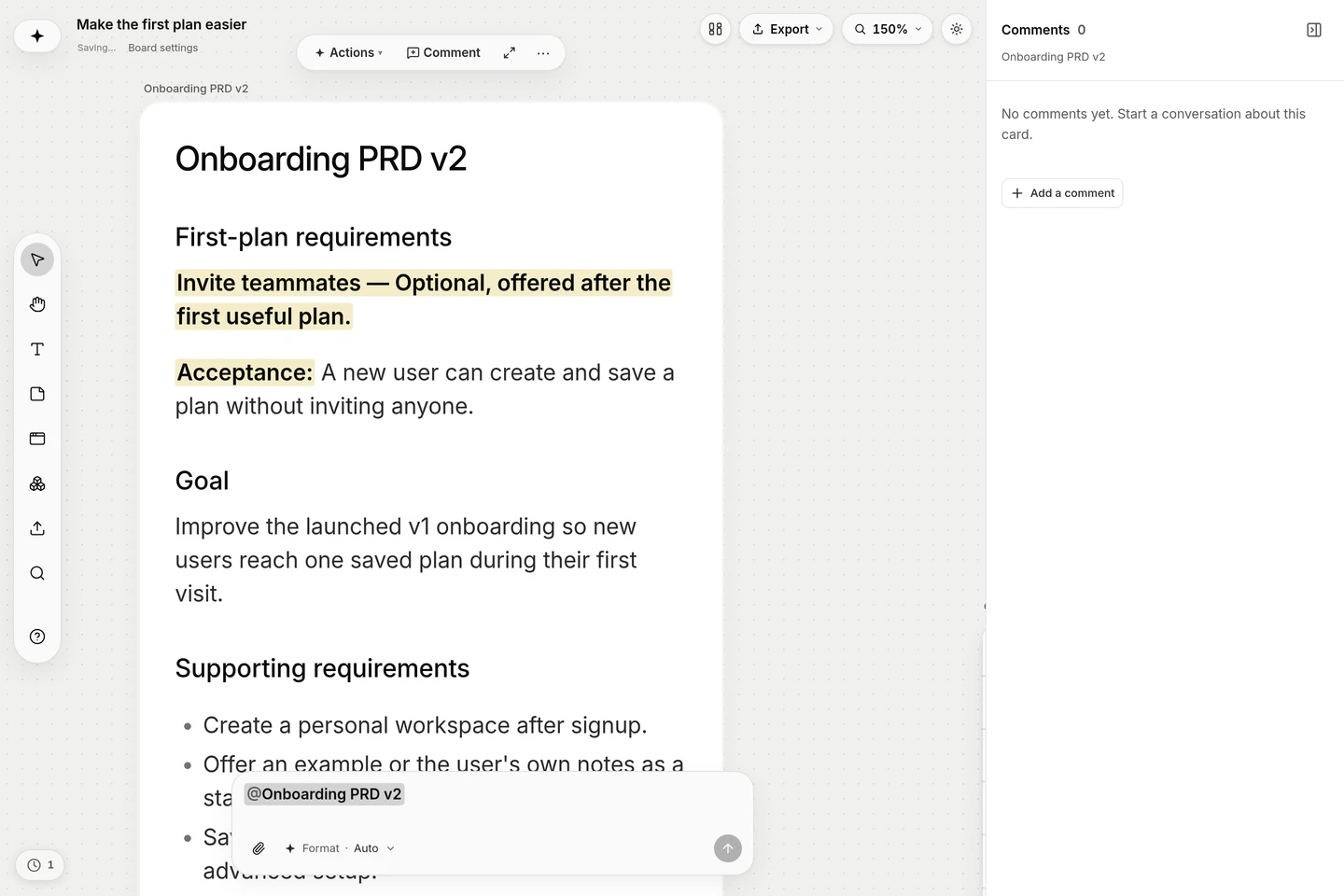
Approve the suggestion to make invitations optional, after the first useful plan.
Keep the discussion beside the work. Teammates ask questions, you respond, and Jarwiz joins with a recommendation grounded in the project’s context.
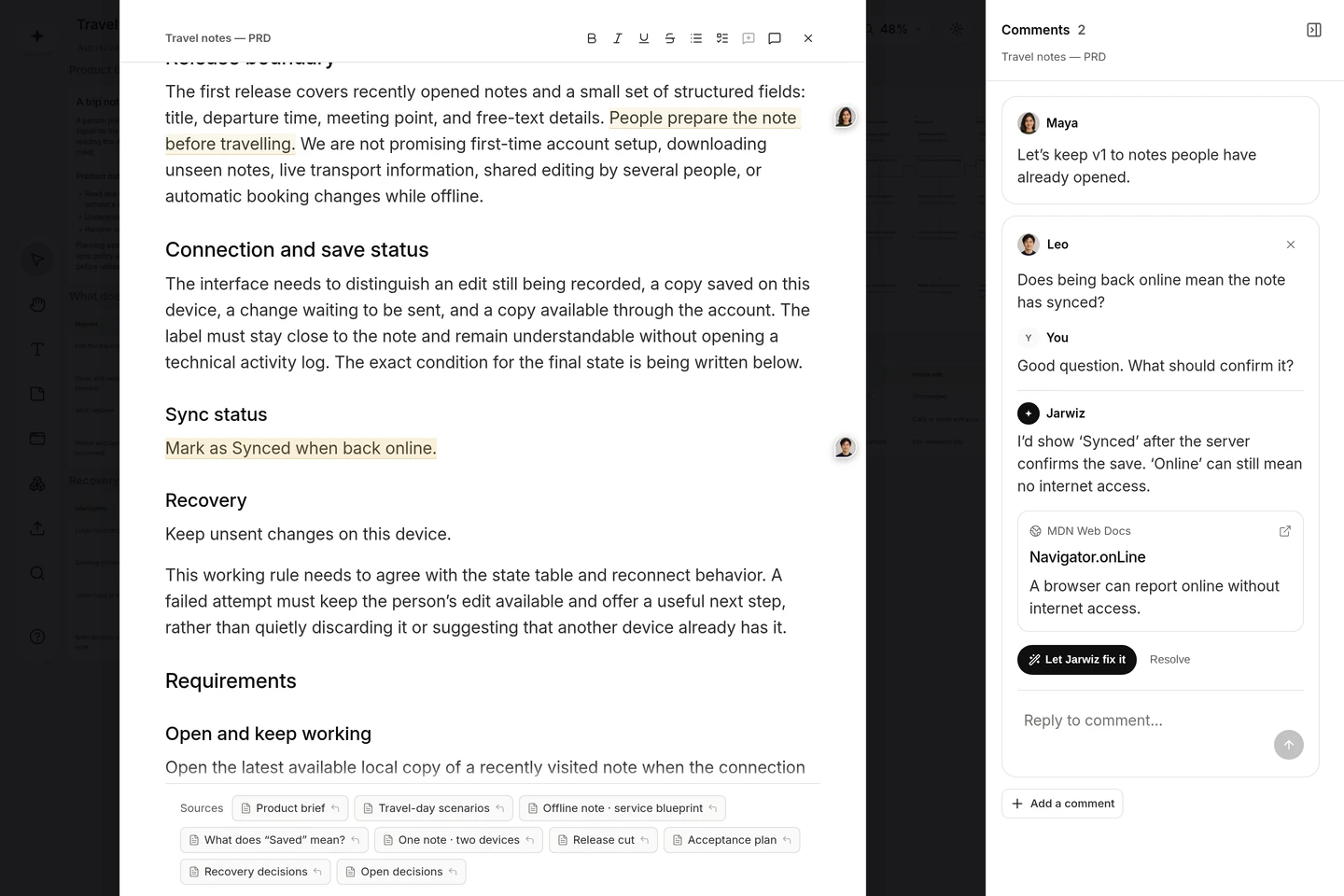
A thread that stays with the card.Read the draft and the conversation side by side.
A recommendation you can question.Reply, add context, or ask Jarwiz to take another pass.
The decision stays with you.Review a proposed change before applying it.
A little more about working with Jarwiz.
Start with notes, links, images, PDFs, or spreadsheets. Arrange them around the question you’re exploring, and select the pieces you want Jarwiz to work with.
Yes. Work on the cards and documents, ask follow-up questions, or leave a comment on the part you want to change. The earlier material stays on the board as the project develops.
Request an invitation by email. Access is being prepared for a closed beta, and invitations will be sent personally. You can describe the kind of project you’d like to bring.
Request an inviteBuilt around a model-agnostic harness, with adapters for Anthropic, OpenAI, and configured compatible models. Change the model while keeping your project in place. Available tools depend on the model.
Jarwiz’s own code is MIT-licensed. Read it, run it locally, or build on the canvas for your own projects. Third-party components have their own licenses.
Have a brief to write, an idea to map, or a question you want to explore? Bring it to Jarwiz.
Your email app opens a draft. Invitations are sent personally.
raagulmanoharan@gmail.com